How to use this tool
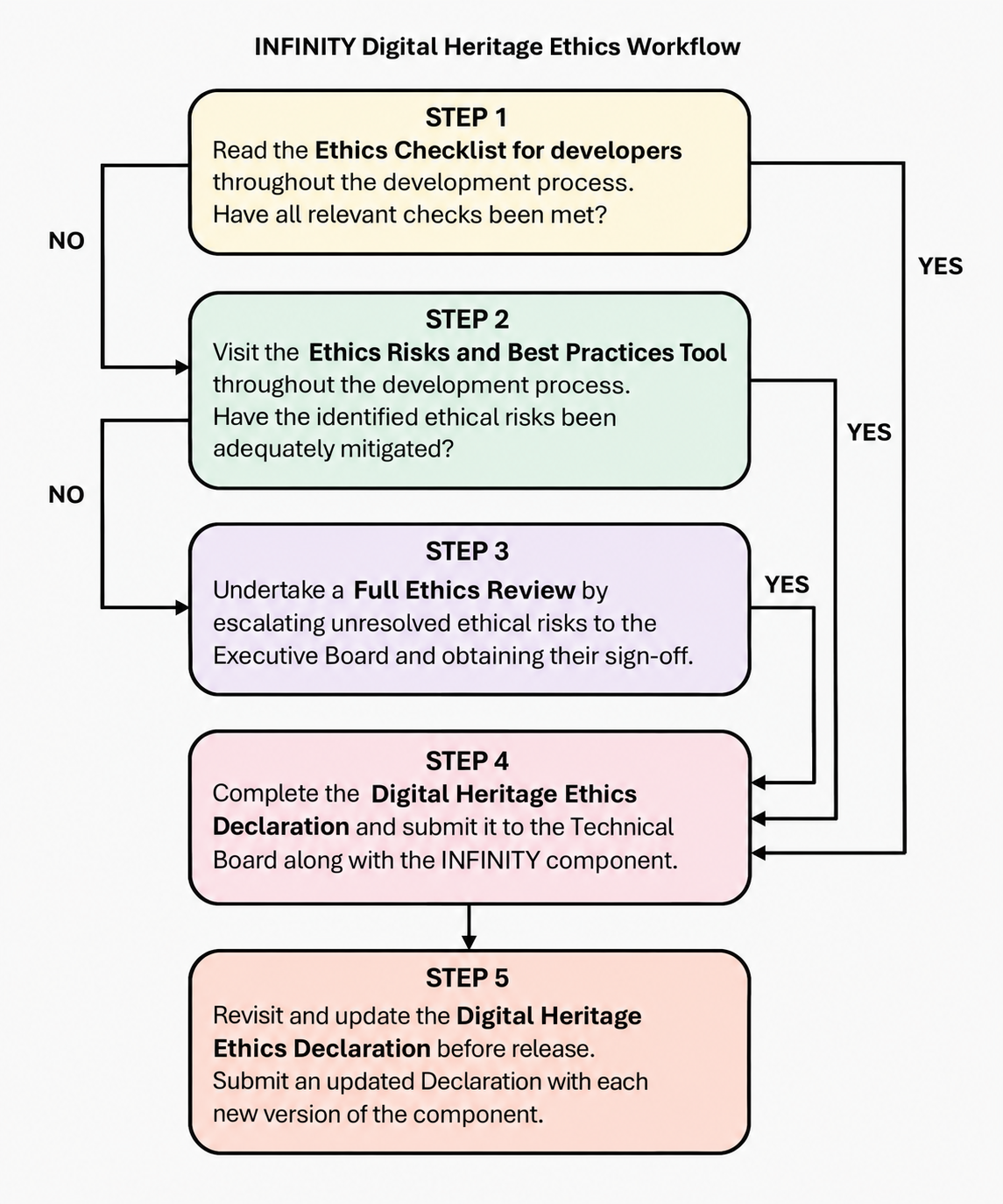
- Read the Ethics checklist for developers and assess whether all checks have been met. If they have not, proceed to the next step.
- Visit the Ethics Risks and Best Practices Tool. For each of the six principles (Participation and Inclusivity, Transparency, Accountability, Trustworthiness, Sustainability of Preservation, and Feasibility and Balance): read the associated risks. If you judge a risk to be medium or high for your project, check the associated best practices and checklists.
- The tool helps you identify the relevant checklist for the risks you indicate. Use this checklist as a starting point for discussion with colleagues and revisit it throughout the development process.
- Document the ethical decisions you make. Include this paradata in the documentation of any output.
- If the Ethics Risks and Best Practices Tool and related checklist do not adequately address all ethical risks associated with your project, undertake a Full Ethics Review by escalating the unresolved risks to the Executive Board and obtaining sign-off. Consult the Project Handbook, Technical Rulebook for Developers, and Data Management Plan for project-level guidance and solutions.
- Complete the Digital Heritage Ethics Declaration and submit it to the Technical Board together with the INFINITY component. Revisit and update the Declaration for each new version or release
Ethics Checklist
To begin with
A quick checklist of the most critical ethical considerations for digital heritage projects. Use this as a starting point to identify potential ethical issues before diving into the full framework.

Ethics Risks and Best Practices Tool
Sunburst Diagrams
Diagrams for the six principles.
Each shows the subcategories, risks, best practices, and checklist items for that principle.